In short
- Scan or pick: open Inspect and scan the kit’s QR label, or pick it from the list. The most urgent kits come first.
- Checks, then items: answer the kit condition checks, then go down the contents. Pass what’s fine, count with − and +, and fail anything expired, low, missing, damaged or opened.
- Fix it on the spot: Replace now for an expired item, and Resupply and pass for one that’s short.
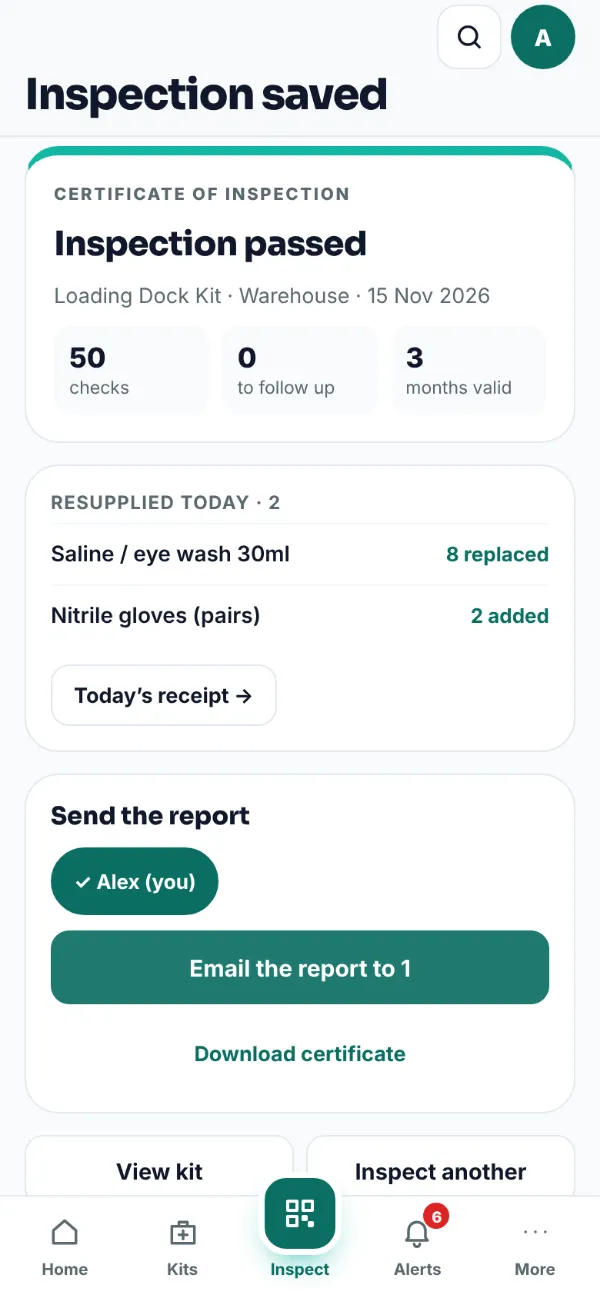
- Sign and save: sign on the screen. The certificate is a PDF with the kit, the inspector, the date and the result, and a QR code an auditor can scan to check it’s genuine.
- Next due date: choose how long the inspection is valid for, and the next due date sets itself.
- Nothing to install: it opens at app.firstaidlog.com on any phone, tablet or computer. Add it to your home screen and it opens like an app. There’s no App Store or Google Play download.
An inspection, step by step
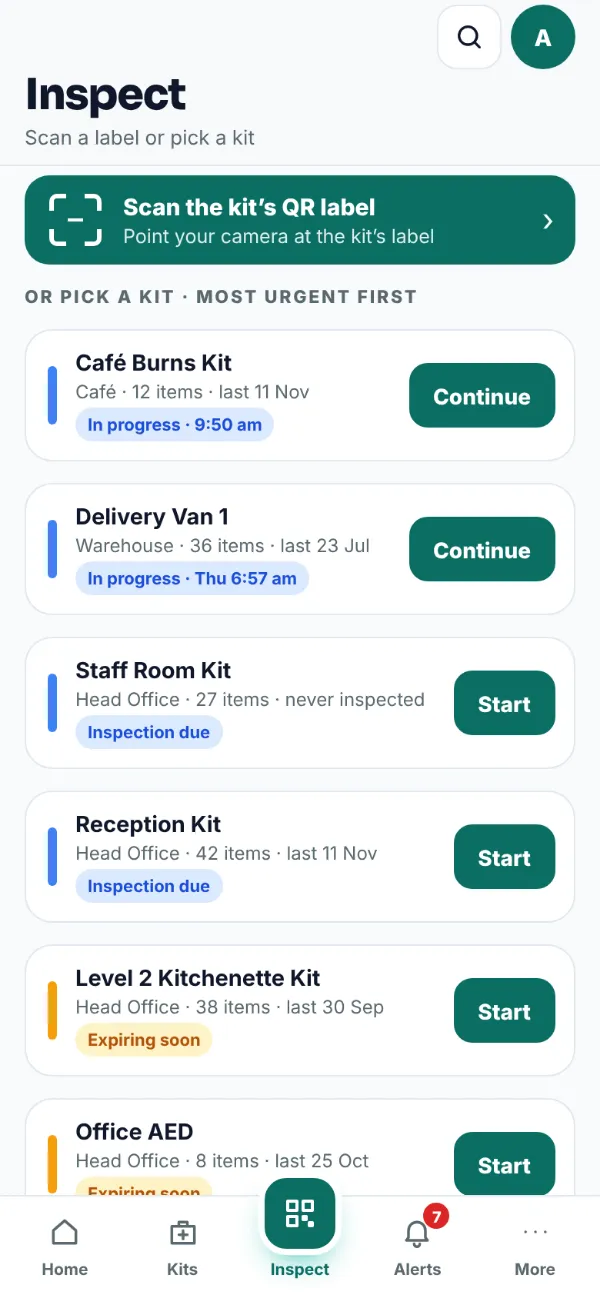
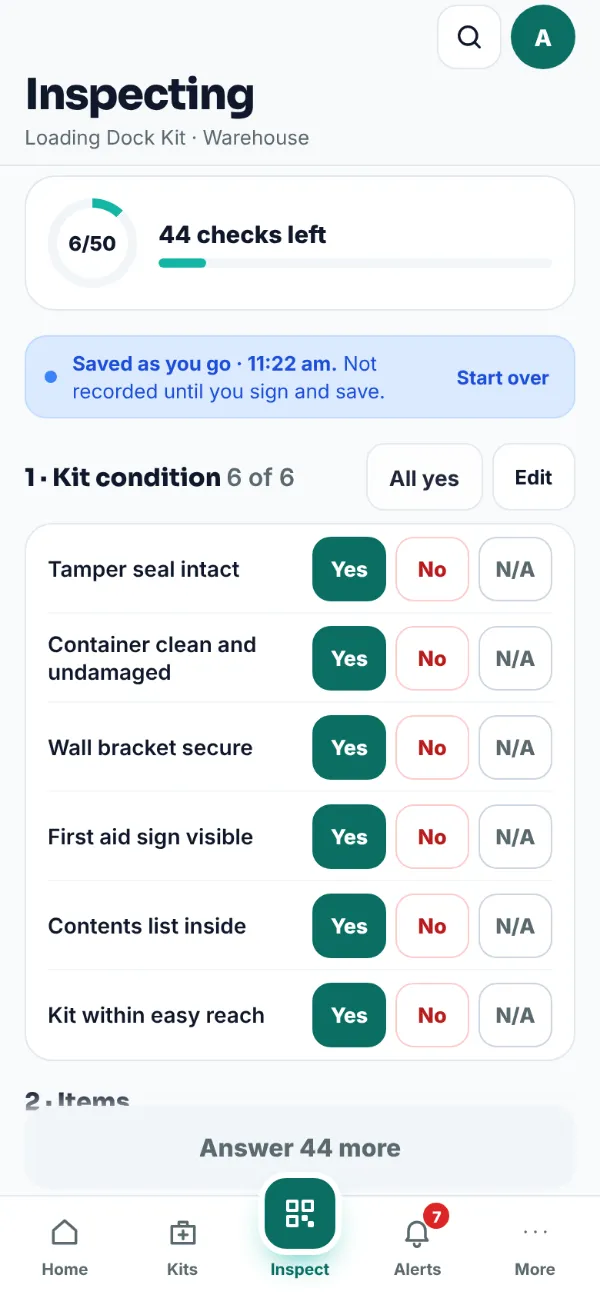
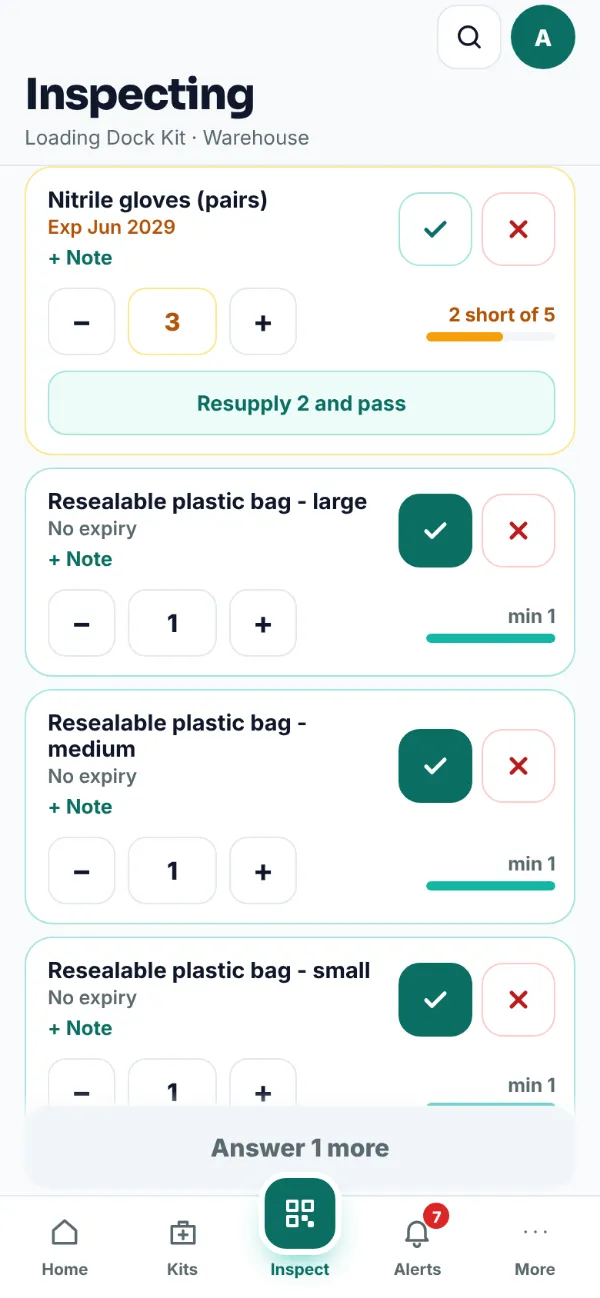
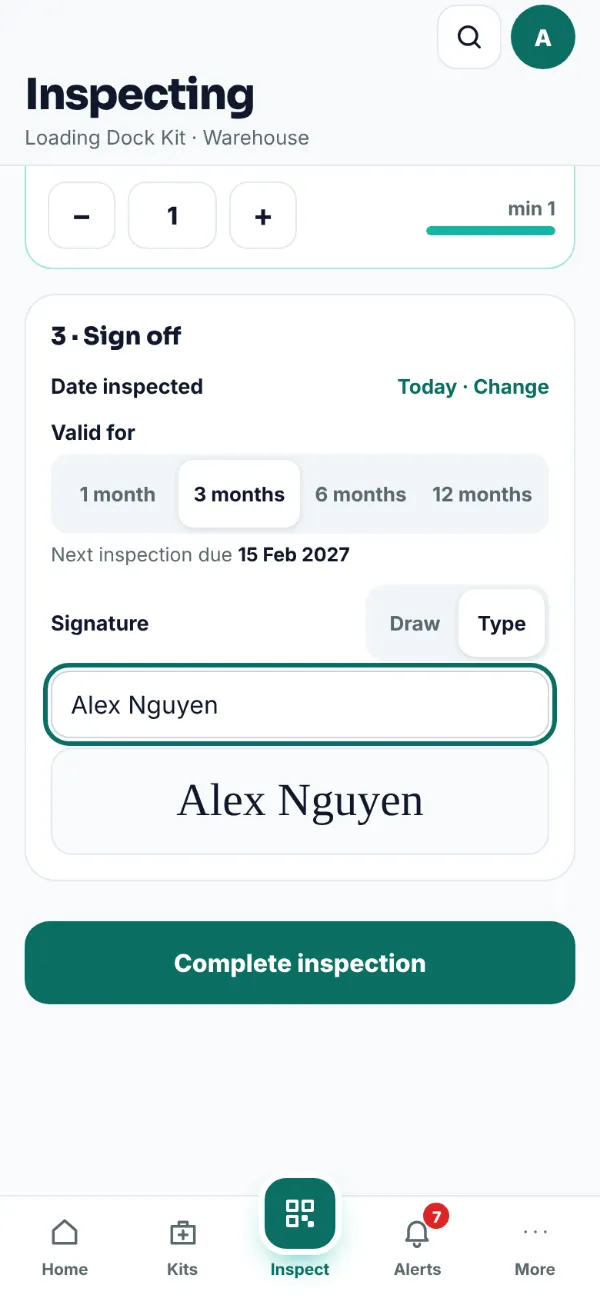
Paper checklist or the app?
| Paper checklist | FirstAidLog | |
|---|---|---|
| Expiry dates | Read off each packet on the day | Saved for every item, with alerts 90, 30 and 7 days before |
| What’s missing | A note on the sheet | Onto the site’s What to Bring list for the next visit |
| Proof | A signed sheet in the kit, if it’s kept | A certificate with a QR code to check it’s genuine |
| Next check | Someone has to remember | A next due date, with reminders |
| A team of inspectors | Sheets handed around | Kits assigned to each inspector |
Prefer paper for now? Our free first aid kit inspection checklist prints on one page.
How often to inspect
Most state Codes say to check kits after each use, or at least once every 12 months if the kit isn’t used. Victoria’s Compliance Code says quarterly and after every event that needs first aid. Many workplaces check every 3 months. More in how often to inspect a first aid kit.
On every plan
Inspections, inspection certificates, QR labels and expiry alerts come with every plan, from $39 a month. Suppliers who inspect clients’ kits can put their own logo on the certificate with the Inspector plan: see software for kit servicing. All plans are on the pricing page.
Frequently asked questions
Is there an app to download?
No. FirstAidLog runs in your phone’s browser at app.firstaidlog.com, so there’s nothing to install and nothing in the App Store or Google Play. Add it to your home screen and it opens like an app.
Do I need QR labels to inspect a kit?
No. You can pick the kit from the list. Labels make it quicker: scan one and the right kit opens. Print them from Printables in the app.
Can I record an inspection I did on paper?
Yes. Record it with its real date. An admin can also correct the last inspection, and the change is logged.
What happens to items that fail?
Each failed item keeps its reason: expired, low stock, missing, damaged or opened. Items to replace go onto the site’s What to Bring list, and the kit reads Needs Resupply until they’re replaced.
Who can do inspections?
Org Admins and Inspectors, First Aiders you turn Does inspections on for, and outside inspectors you connect on any plan. Viewers can see records but can’t change them.
Swap the clipboard for your phone
Scan, check and sign off every kit. Try it free for 3 days.
Start free trial →No credit card required · 3-day free trial · Cancel anytime